
Zmodo
Zmodo SupportLifestyle
2.011.24K Reviews
- Version
- 7.0.0.10
- Installs
- 1.00M
- Age Rating
- Everyone
Screenshots
Our Review of Zmodo
 Analysis by Appyee
Ever found yourself yearning for a smarter, more secure home setup? I recently got my hands on the Zmodo app, and let me tell you, it’s like having a virtual security guard in your pocket. If you're curious about how it fares in the real world, stick around as I dive into all the nitty-gritty details.
A Peek Into What Zmodo Offers
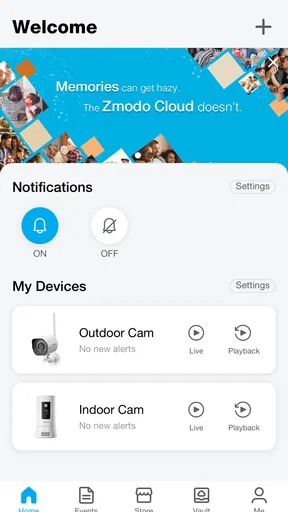
First things first, let's talk about what Zmodo brings to the table. This app is your go-to companion for managing Zmodo's range of smart home devices, including cameras, doorbells, and sensors. It’s designed to provide a seamless way to monitor your home, whether you’re chilling on the couch or halfway across the globe.
Setting up the app was surprisingly straightforward. Once you download it from the Play Store or App Store, you're guided through pairing your devices with just a few taps. The interface is clean and intuitive, making it super easy to navigate even for tech newbies.
Features You’ll Love
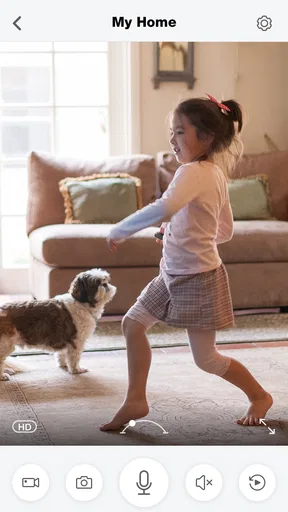
One of the standout features is the live video streaming. You can tap into real-time footage from your cameras at any moment, and the quality is pretty impressive. I tested it both on Wi-Fi and cellular data, and the transition was smooth with minimal lag.
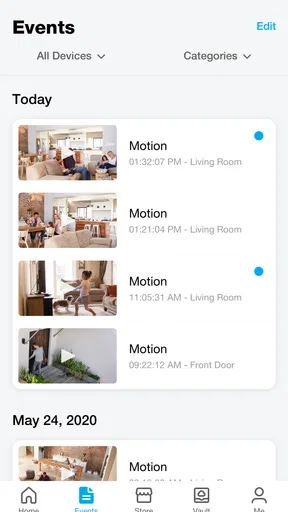
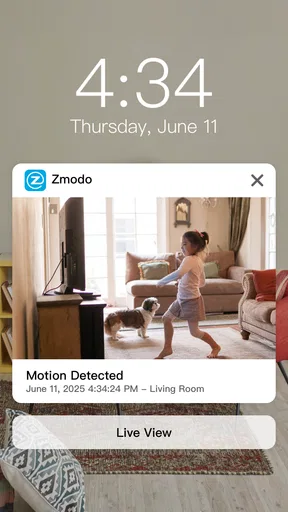
Another noteworthy feature is the motion detection alerts. The app sends notifications to your phone whenever it detects movement, which is perfect for keeping tabs on your home when you’re not around. You can even adjust the sensitivity to filter out false alarms from things like a neighbor’s cat wandering by.
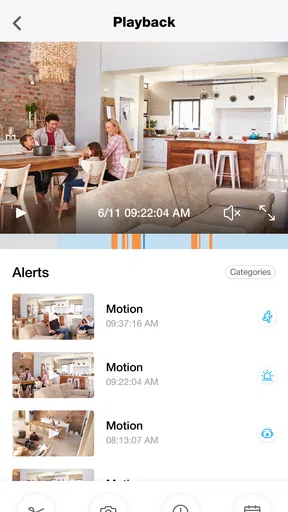
Plus, there's a handy playback option. You can review past footage if you need to check up on an event. The timeline is easy to scroll through, and you can quickly find the exact moment you’re looking for.
User Experience and Design
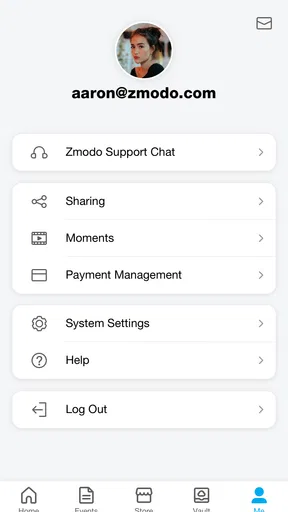
Let’s talk aesthetics and user experience. The design is minimalistic, which I appreciate; it doesn’t bombard you with unnecessary options or flashy graphics. Everything is where you’d expect it to be, and the learning curve is practically non-existent.
One thing I particularly liked is the customization options. You can group devices by room, rename them, and even set schedules for when they should be active. It feels like the app was designed with the user in mind, prioritizing functionality without sacrificing style.
Security and Privacy
In this digital age, security and privacy are paramount concerns, and Zmodo seems to take this seriously. The app uses encryption to protect your data, so you can rest easy knowing your footage isn’t vulnerable to prying eyes.
There’s also an option to share device access with family members or roommates, which is pretty neat if you’re living in a shared space. You have full control over who can view your cameras, and you can revoke access anytime.
Room for Improvement
While I’m mostly impressed, there are a couple of areas where Zmodo could step up its game. Occasionally, the app takes a bit longer to load live streams, especially if you’re switching between multiple cameras. It’s not a deal-breaker, but a bit of optimization here wouldn’t hurt.
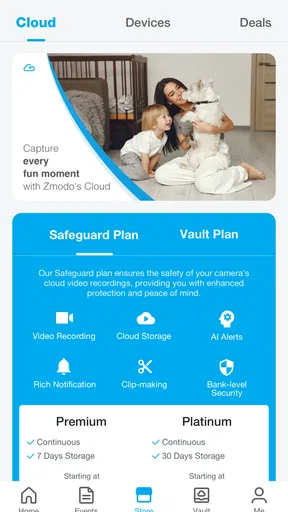
Another aspect is the subscription model for cloud storage. While the free plan gives you limited storage, you’ll need to upgrade if you want more extensive coverage. It would be nice if there were more flexible pricing options to cater to different user needs.
Final Thoughts
All in all, the Zmodo app is a solid choice for anyone looking to enhance their home security setup. It’s user-friendly, packed with useful features, and offers a decent level of customization. Whether you’re a tech enthusiast or just someone wanting peace of mind, this app has a lot to offer.
If you’re ready to take the plunge, you can download the app directly from their website or your device’s app store. Happy monitoring!
Verdict
Strengths of Zmodo
- User-friendly interface for beginners.
- Real-time alerts for quick responses.
- High-quality video streaming.
- Easy integration with smart home devices.
- Affordable pricing for premium features.
Limitations of Zmodo
- Limited compatibility with some devices.
- Occasional connectivity issues reported.
- Customer support can be slow.
- Lacks advanced customization options.
- Some features require paid subscription.
Similar Picks in This Category
View All
SmartThings
Samsung Electronics Co., Ltd.4.6

Google Home
Google LLC4.0

Pinterest4.2

Astrotalk - Talk to Astrologer
Astrology & Horoscope4.7

My Verizon
Verizon Consumer Group4.5

Samsung Wallet (Samsung Pay)
Samsung Electronics Co., Ltd.4.1
Frequently Asked Questions
What is Zmodo and what are its primary features?
Zmodo is a smart home security app designed to work with Zmodo cameras and devices. Its primary features include live streaming video, motion detection alerts, cloud recording, and two-way audio. The app allows users to monitor their home security from anywhere using their smartphone, providing peace of mind and convenience.
Is Zmodo compatible with both Android and iOS devices?
Yes, Zmodo is compatible with both Android and iOS devices. Users can download the app from the Google Play Store for Android devices or the Apple App Store for iOS devices. This cross-platform compatibility ensures that users can access their security feeds regardless of their smartphone's operating system.
Does Zmodo require a subscription for cloud storage?
While Zmodo offers basic features for free, a subscription is required for cloud storage. The cloud service allows users to store video clips securely and access them at any time. Subscription plans vary, offering different storage capacities and durations, so users can choose a plan that fits their specific needs and budget.
How does Zmodo ensure the privacy and security of my data?
Zmodo employs several security measures to protect user data, including encryption and secure data transmission. The app also offers user authentication features, ensuring that only authorized users have access to the video feeds. Users are encouraged to use strong, unique passwords and enable two-factor authentication for additional security.
What should I do if I encounter issues with the Zmodo app?
If you encounter issues with the Zmodo app, there are several steps you can take. First, ensure your app is updated to the latest version. Check your internet connection and restart the app or your device. If problems persist, visit Zmodo’s support website for troubleshooting guides or contact their customer support for assistance.
